MDLive
Install on macOS · Install on Linux
A small Markdown previewer with simple editing that re-renders the moment the file changes on disk.
It was built for working next to AI coding agents. When Claude Code or Codex
edits a .md file, you see the new version straight away. There is no vault
and no server. It opens a file and shows it. If something needs fixing, click
anywhere in the page and type, like a Google Doc, and the change is autosaved
straight back to the Markdown file. Editing is Mac only for now. The Linux port
is still viewer only.
 |
 |
 |
 |
What it does
- Re-renders on every save, including atomic saves where the editor writes a temp file and renames it over the original
- Click into the rendered page and type to edit it in place. Edits autosave about a second after you stop typing, and only the lines of the blocks you touched change in the file, so the rest of your Markdown stays byte for byte what it was. Math and Mermaid diagrams are kept as they are
- A Format menu for simple edits: bold, italic, strikethrough, inline code, Heading 1 to 3, body text, bulleted and numbered lists, and links. Each one toggles, so Bold on bold text takes it off and Body Text turns a heading back into a paragraph, and the result is written back as plain Markdown. With nothing selected, formatting acts on the word under the cursor, or on what you type next when the cursor is at a word boundary
- The standard Edit menu: undo, redo, cut, copy, paste (always as plain text) and select all
- Keeps your scroll position across refreshes, so the page does not jump
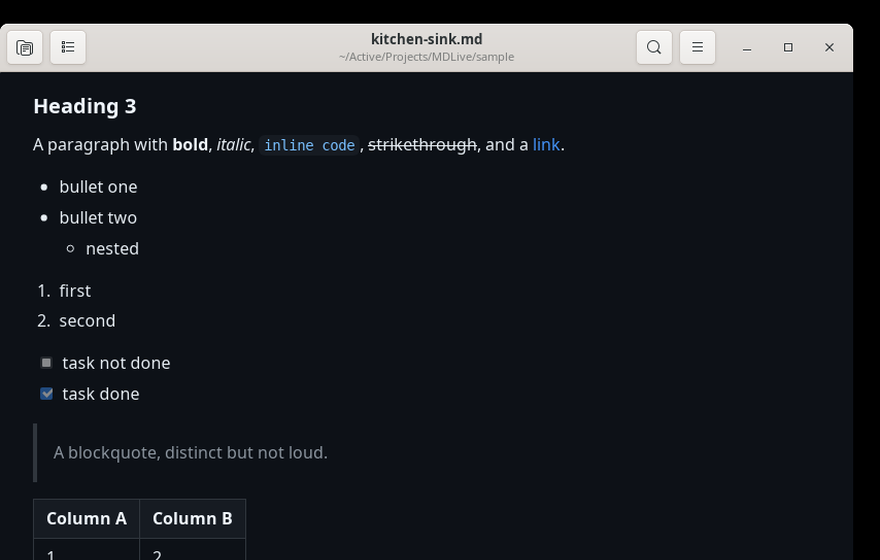
- Syntax highlighting for fenced code blocks
- GitHub style tables, task lists, footnotes, definition lists, strikethrough
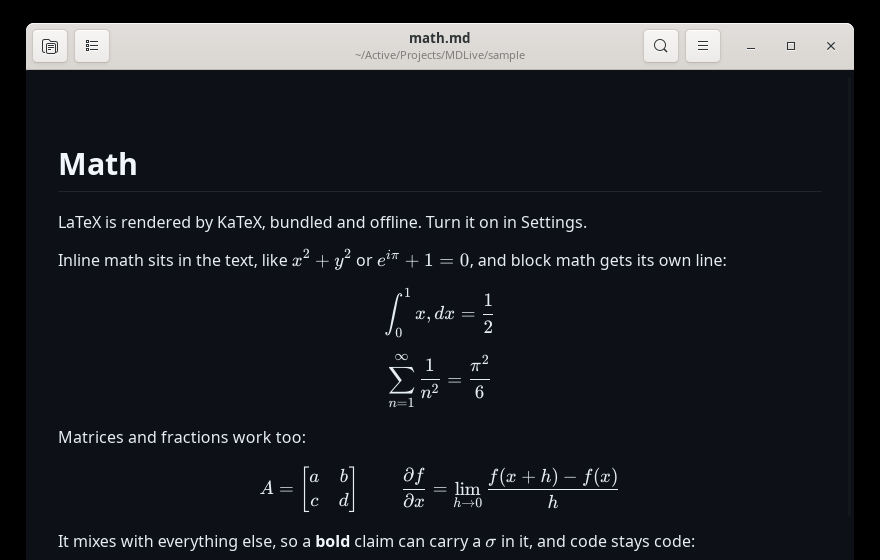
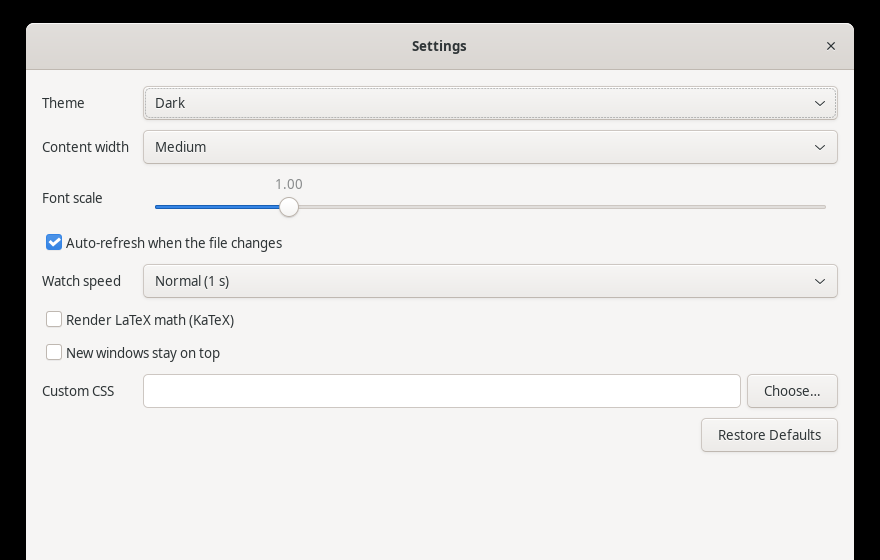
- LaTeX math with KaTeX, off by default, works offline
- Mermaid diagrams from fenced
mermaidblocks, themed to match, works offline - Dark and light themes, font zoom, and an adjustable content width
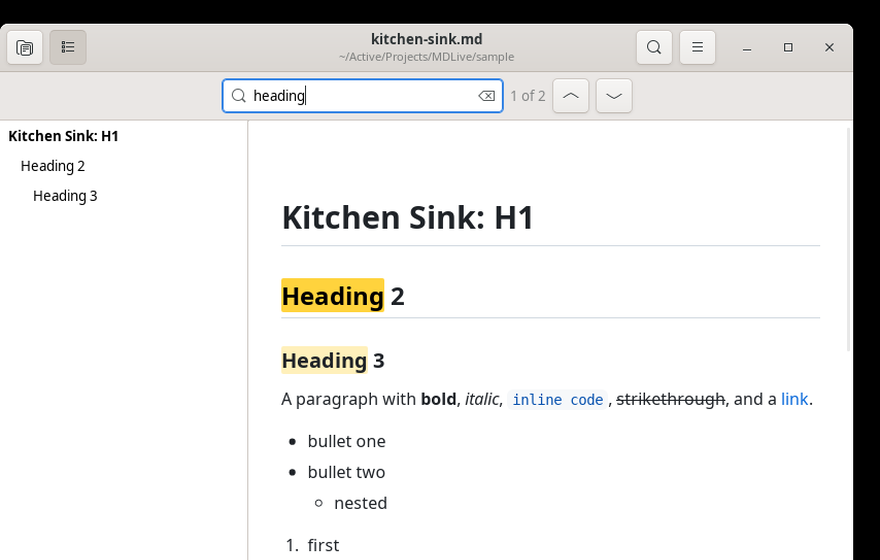
- Find, with a match count
- An outline sidebar built from the document headings
- Print, plus export to PDF or self contained HTML
- Keep the window on top, so it can sit beside your editor
- One window per file, and re-opening a file focuses the window it is in already
- Fully offline. Nothing is fetched at runtime and nothing is reported anywhere.
Linux
Needs Python 3, GTK 3 and WebKit2GTK, which most desktops already have:
sudo apt install python3-gi gir1.2-gtk-3.0 gir1.2-webkit2-4.1
Then install into ~/.local, no root required:
git clone https://github.com/partypancake8/MDLive.git
cd MDLive/linux
./install.sh
That puts mdlive on your PATH, adds a desktop entry, and makes MDLive the
default opener for .md files. Use ./install.sh --no-default to leave your
current default alone, and ./install.sh --uninstall to remove it.
mdlive README.md
Shortcuts
| Action | Key |
|---|---|
| Open | Ctrl+O |
| Refresh | Ctrl+R |
| Find | Ctrl+F |
| Find next, find previous | Ctrl+G, Ctrl+Shift+G |
| Zoom in, out, reset | Ctrl++, Ctrl+-, Ctrl+0 |
| Outline sidebar | Ctrl+Alt+1 |
| Keep on top | Ctrl+Shift+T |
| Copy file path | Ctrl+L |
Ctrl+P |
|
| Settings | Ctrl+, |
| Undo, redo (Mac) | Ctrl+Z, Ctrl+Shift+Z |
| Cut, copy, paste (Mac) | Ctrl+X, Ctrl+C, Ctrl+V |
| Bold, italic (Mac) | Ctrl+B, Ctrl+I |
| Inline code (Mac) | Ctrl+Shift+C |
| Heading 1, 2, 3, body text (Mac) | Ctrl+Cmd+1, Ctrl+Cmd+2, Ctrl+Cmd+3, Ctrl+Cmd+0 |
| Bulleted list, numbered list (Mac) | Ctrl+Shift+8, Ctrl+Shift+7 |
| Link (Mac) | Ctrl+K |
| Version history (Mac) | Ctrl+Alt+Y (⌥⌘Y on the Mac) |
macOS
The Mac version is a native Swift app built on AppKit and WKWebView. Build it with XcodeGen:
brew install xcodegen
cd MDLive
xcodegen generate
xcodebuild -project MDLive.xcodeproj -scheme MDLive -configuration Debug \
  CODE_SIGNING_ALLOWED=NO -derivedDataPath build/dd build
cp -R build/dd/Build/Products/Debug/MDLive.app /Applications/MDLive.app
open -a MDLive sample/hello.md
Install to /Applications and launch it by name. Running open -a against the
raw DerivedData path fails with Launch Services error -600.
The shortcuts match the table above with Command in place of Control, so Open is
⌘O and the outline is ⌥⌘1. The rows marked Mac are the Edit and Format
menus, which only the Mac app has, since the Linux port is a read-only preview.
The heading keys keep both modifiers, so Heading 1 is ⌃⌘1 and body text is
⌃⌘0. Strikethrough has no default key. Every Format shortcut can be remapped
in the Shortcuts settings tab.
Version History
MDLive keeps a log of every change to every file it has open, a bit like
Google Docs. File > Version History… (⌥⌘Y) opens a sidebar on the right that
lists the versions of the current file, newest first and grouped by day. Each
row shows the time and where the change came from:
- Opened: the file as it was when MDLive opened it (recorded the first time, and again whenever the file on disk differs from the newest version).
- You: an autosave of your edits. Saves less than two minutes apart are grouped into one version.
- Outside change: another program changed the file while it was open.
- Restored: a Restore from the sidebar.
Click a row to see that version, read only, with a bar on top that says when it is from. Restore writes it back to the file right away (the version it replaced stays in the list, so a restore can be undone the same way), and Back to current returns to the live file. Closing the sidebar also returns to it.
The log lives in ~/Library/Application Support/MDLive/history/, one folder per
file (named by the SHA-256 of its path) with an index.json and one .md
snapshot per version. Each file keeps its newest 200 versions and the whole log
stays under 500 MB, dropping the oldest versions first. Set MDLIVE_HISTORY_DIR
to keep it somewhere else (the tests and headless gates do).
The Mac build is ad hoc signed for local use. Developer ID signing and notarization are not set up, so the Sparkle update plumbing is wired in but inert.
How it works
Both versions share the same renderer. MDLive/Resources/web/ holds
markdown-it 14.1.0, highlight.js, KaTeX 0.16.11 and Mermaid 11.17.2, all vendored and pinned, and index.html
defines the entire contract: a render() function, a ready handshake, and a
few message handlers for links, the outline and scroll position.
The native side of each app is only a shell around that:
| macOS | Linux | |
|---|---|---|
| Windows and menus | AppKit | GTK 3 |
| Web view | WKWebView | WebKit2GTK |
| File watching | FSEvents | GIO file monitor |
| Language | Swift | Python |
Both web views are WebKit, so the Linux port uses the web assets byte for byte
with no changes, including the window.webkit.messageHandlers bridge and the
custom mdlive-img:// scheme that serves local images. Images are only served
from the directory holding the open file, so a document cannot pull in files
from elsewhere on disk.
The watcher monitors the parent directory rather than the file itself, because an atomic save replaces the inode and would break a watch on the file. Changes are debounced by 150 ms and only applied once the size and modification time stop moving, which avoids rendering a half written file. A slow poll runs alongside as a fallback.
Development
linux/mdlive.py --selftest
The selftest renders fixtures in a real offscreen WebKit view and reads the resulting DOM back, checking headings, bold text, syntax highlighting, blockquotes, tables, the outline, find and HTML export. It also covers the image path validation and the error strings. It exits non zero on failure.
The Mac side has an equivalent harness plus XCTest suites:
MDLIVE_SELFTEST=/tmp/out.json MDLIVE_OPEN="$PWD/sample/hello.md" \
  /Applications/MDLive.app/Contents/MacOS/MDLive
web-tests/run.sh drives the same harness against sample/mermaid.md and asserts
that each valid diagram produced an svg and the broken one shows its error line.
It also runs web-tests/edit-test.sh, which types into a paragraph, a list item,
a code block, a table cell, a heading and a footnote of sample/kitchen-sink.md
through MDLIVE_EDIT_SELFTEST and checks that the autosaved file changed only in
those lines, and that just clicking in never rewrites the file.
sample/ holds the fixtures, including kitchen-sink.md, which exercises every
supported element.
Project docs
PRD.mdandPRD-v2.mdfor the specsPROGRESS.mdfor build statusCHANGELOG.mdfor what landed when